05 — Recreate the Environment#
A learner's environment is disposable: when they come back, the platform builds a fresh one and replays the solutions of every step they completed. The editor lets you do exactly that, at any step — which is how you prove that your solutions really rebuild the state the next step needs, and how you get a clean environment after you experimented in it.
Recreate at a step: Recreate container#
Open the step you want to land on and press Recreate container (next to Test step). The editor asks first, naming what it will replay and what it skips:
Recreate the container and replay 1 earlier section? The environment is rebuilt from the saved head, then the solutions of the sections before "2. Deploy the DynaKube" run in order; skipped: Welcome (nothing to replay), Prerequisites (no solution: …). Anything done in the current environment is lost.
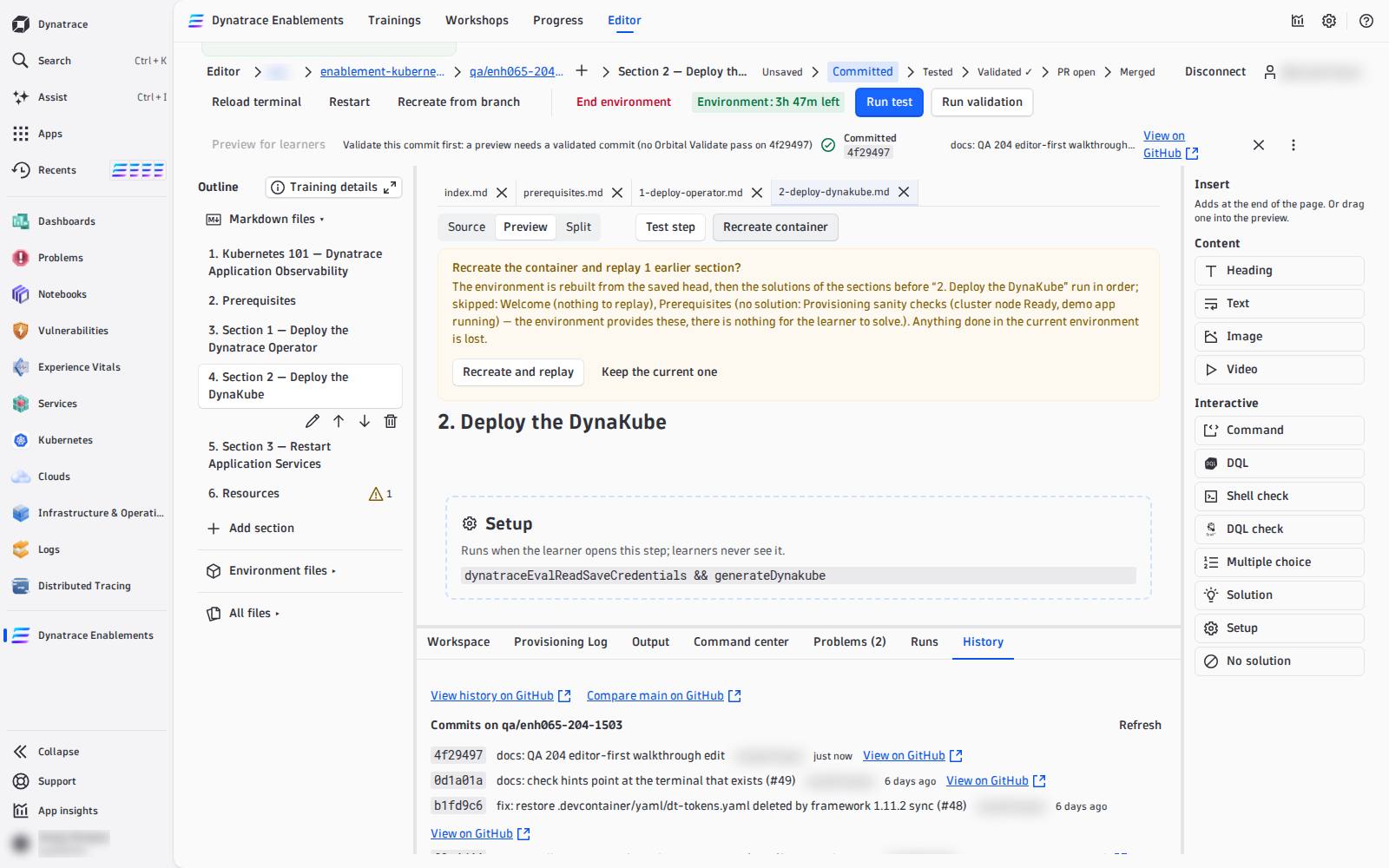
Recreate and replay then:
- builds a new environment from the branch's last commit (
post-create.sh,post-start.sh); - waits until it is ready;
- runs the
LAB_SOLUTION— itscommands, then itsverify— of every step before the open one, innavorder. The live line reads Replaying 2/5: <step>.
The open step itself is not replayed: that is what Test step is for. When the replay is done the environment is exactly where a learner who completed the earlier steps would be — press Test step on the open step next.
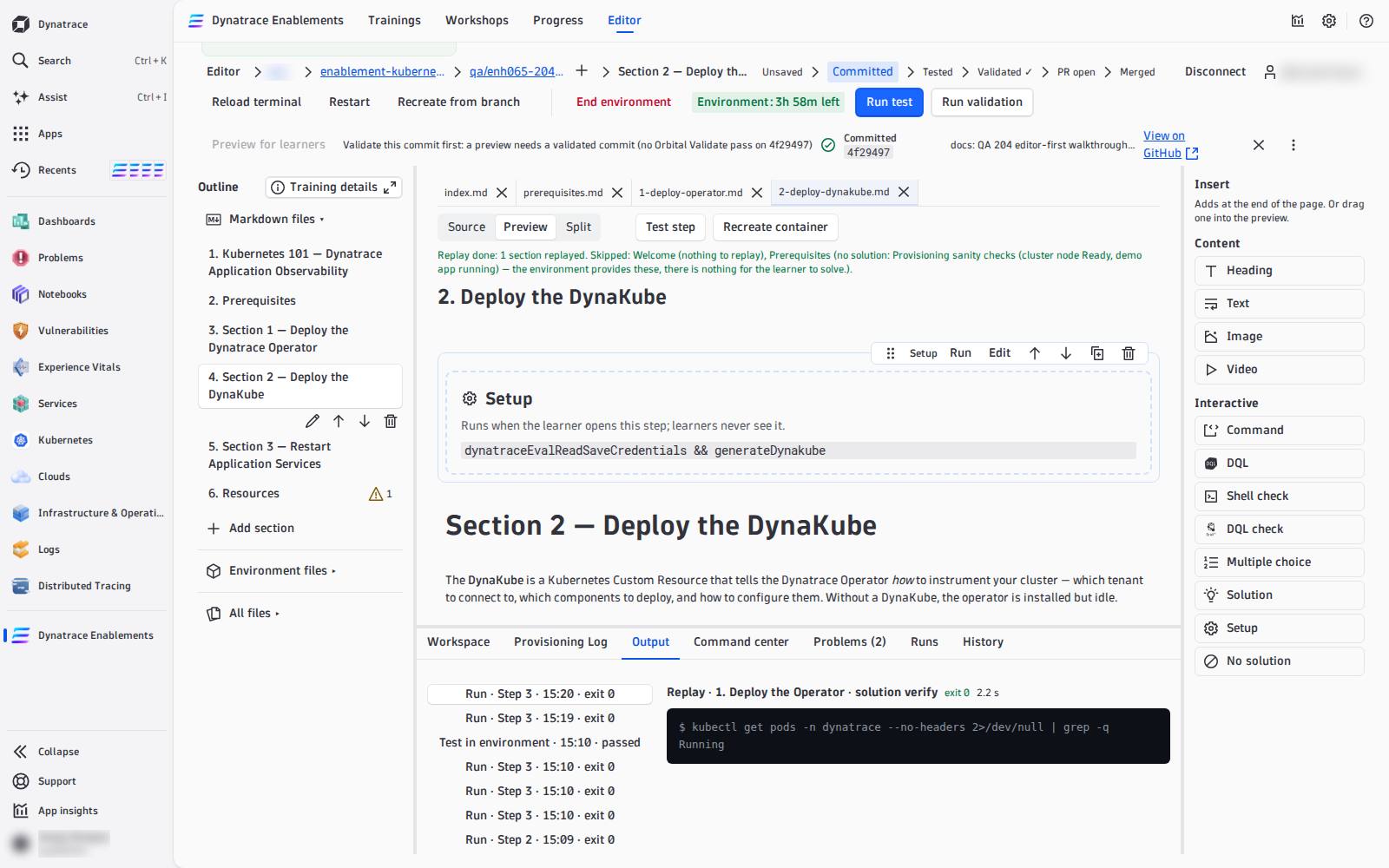
The first solution that fails stops the replay and names it:
Replay stopped at "Deploy the Operator": its solution (line 4) failed: exit 1. Later sections were not replayed.
That is the bug a learner would hit on resume, and the nightly test would hit every night: fix that step's solution. A step with a LAB_NO_SOLUTION is skipped with its reason; a step that changes the environment but has no solution makes every later step impossible to rebuild — see LAB_SOLUTION.
Cancel stops the replay. The replay runs in your browser: closing the tab stops it too.
The other two#
| Control | When to use it |
|---|---|
| Recreate from branch (action row) | a clean environment from the last commit, without replaying anything — after you changed post-create.sh, my_functions.sh or dt-tokens.yaml and committed. With unsaved edits it asks first, then writes them into the new environment |
| Restart (action row) | the same environment restarted, nothing rebuilt — when it hangs |
Every recreate is a new environment: the Provisioning Log tab starts a new log, and a terminal window you opened before belongs to the old one — Open terminal (new environment) opens one for the new.
Recreate uses your last commit
The environment is always built from what is committed on the branch. Edits to post-create.sh or my_functions.sh take effect in a recreate only after you commit them (unsaved page edits are written in afterwards).