06 — Commit and Open a PR#
Your edits live in this browser until you commit them. A commit puts them on your branch on GitHub; a validated commit can become a pull request into the training's main.
Commit#
While you have edits, the action row shows Commit, N changed files and Saved in browser · 14:02 (the autosave, in this browser only).
Commit (or Ctrl/Cmd+S) opens the pending changes: every file marked added, changed or deleted, and a Commit message. Type a message — left empty, the commit gets a generated one such as Edit docs/prerequisites.md — and press Commit (or Enter). The editor commits every changed file to your branch on GitHub, as you.
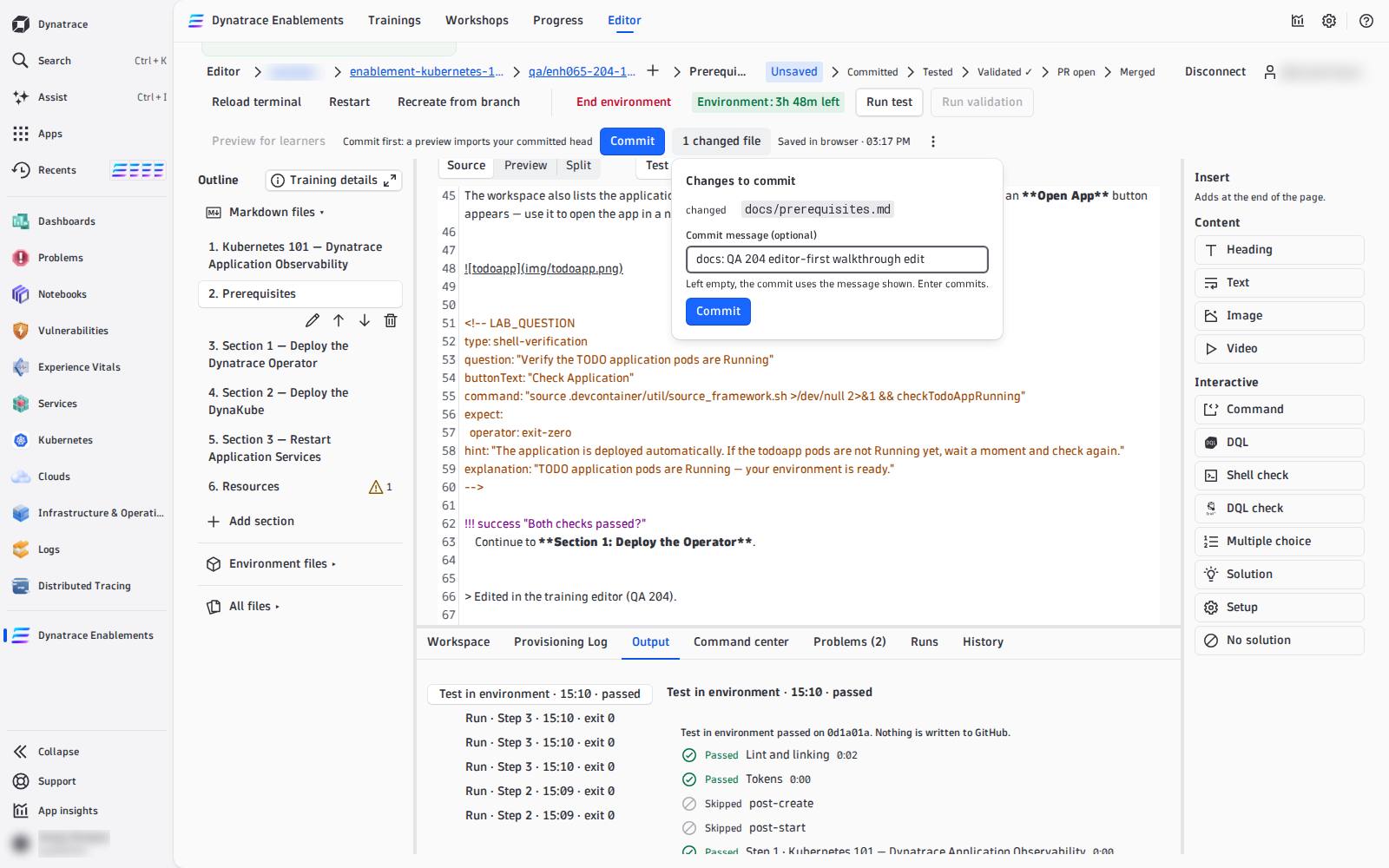
The stage path moves to Committed. A commit is never offered without the chance to type a message, and a commit never runs Validate or anything else by itself.
Unsaved edits are only in this browser
Another browser or another machine does not see them, and clearing site data loses them. If the editor finds edits kept from an earlier visit it offers Restore edits or Discard… — Discard asks first, because it deletes the only copy. Commit often.
If the branch moved on GitHub since you opened it (a teammate pushed), the commit is refused and the editor offers to save your edits on a new branch, so nothing is lost.
History#
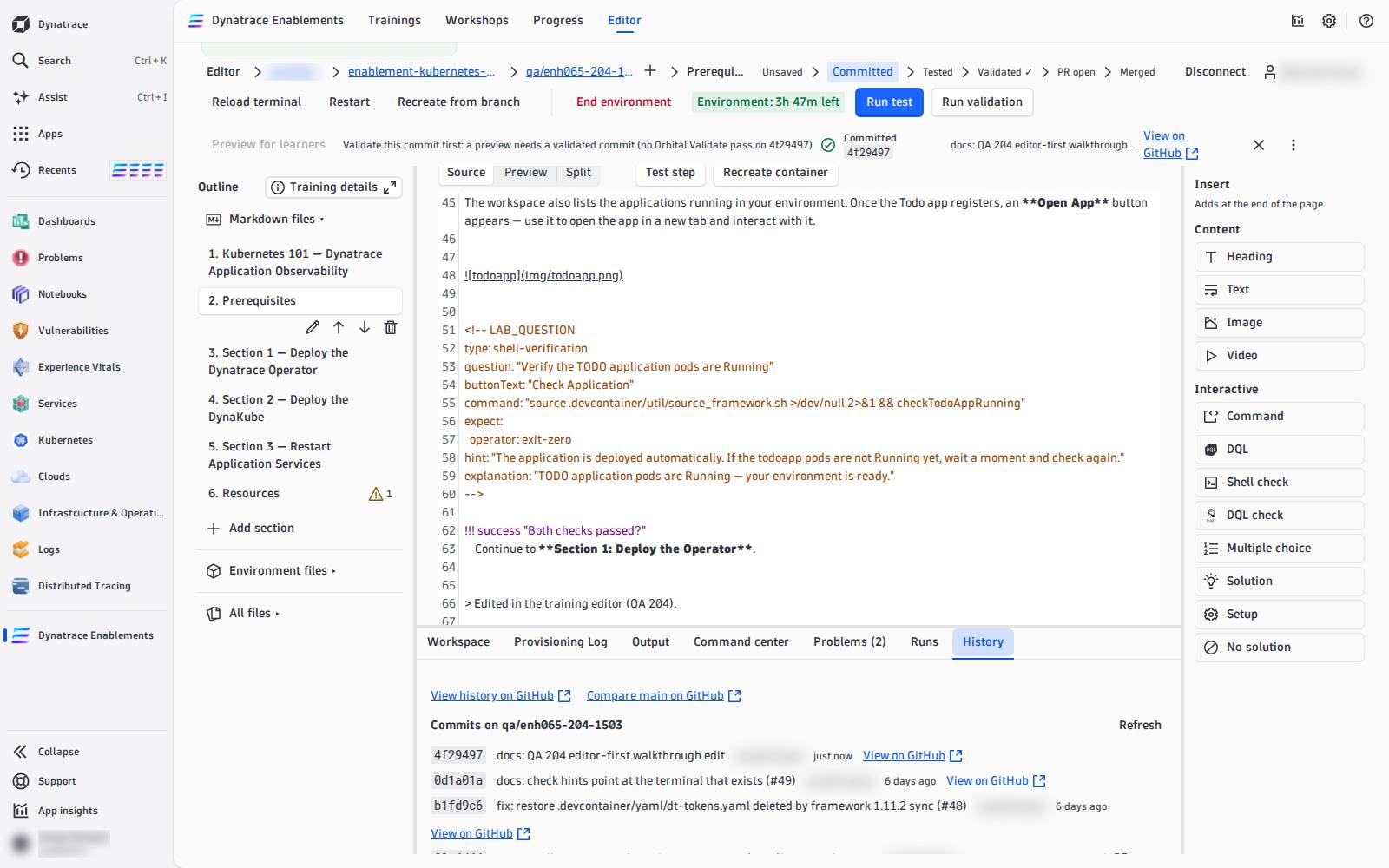
The History tab lists the branch's newest commits (sha, message, author, time, View on GitHub), with View history on GitHub, Compare main on GitHub and, once one exists, the pull request. GitHub is the diff viewer: every link opens a new tab.
Validate the commit#
Create PR needs the commit at the head of your branch to be Validated ✓: press Run validation (see 04 — Write and Test Steps). It rebuilds a fresh environment from that commit and runs the whole training. While it runs, Commit is locked, so the commit being validated is the commit you publish.
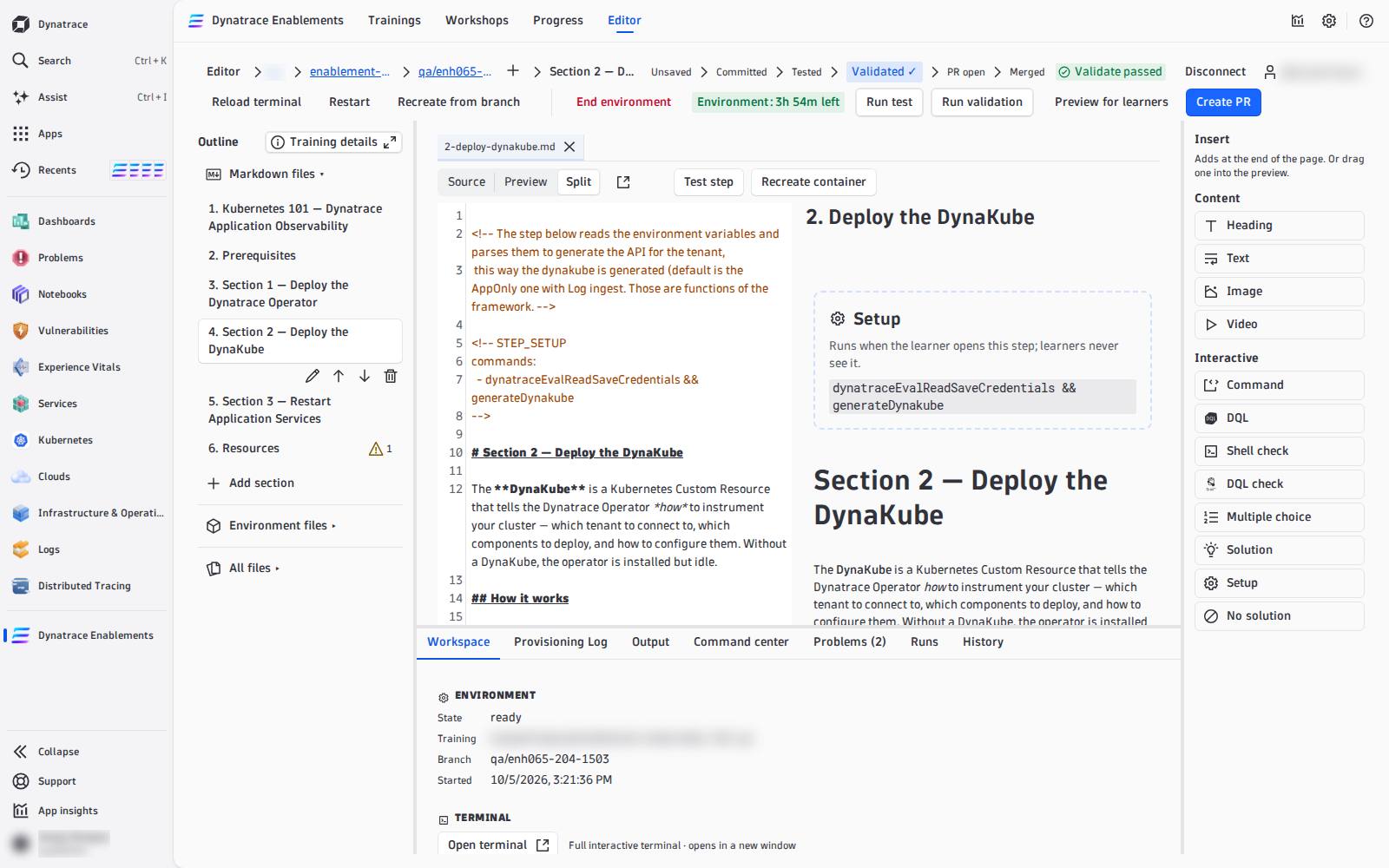
A pass marks the commit on GitHub (an Orbital Validate check run) and the stage path reads Validated ✓. Every later commit has to be validated again.
Open the pull request#
With the head validated and no errors in Problems, the primary button reads Create PR. It opens a dialog:
- Title — editable, default Publish <branch>;
- Base — the repository's default branch (shown, not editable);
- Notes — optional, placed before the report;
- Report — appended automatically: the last validation, step by step. Quizzes are listed as not verified: no automation can answer them.
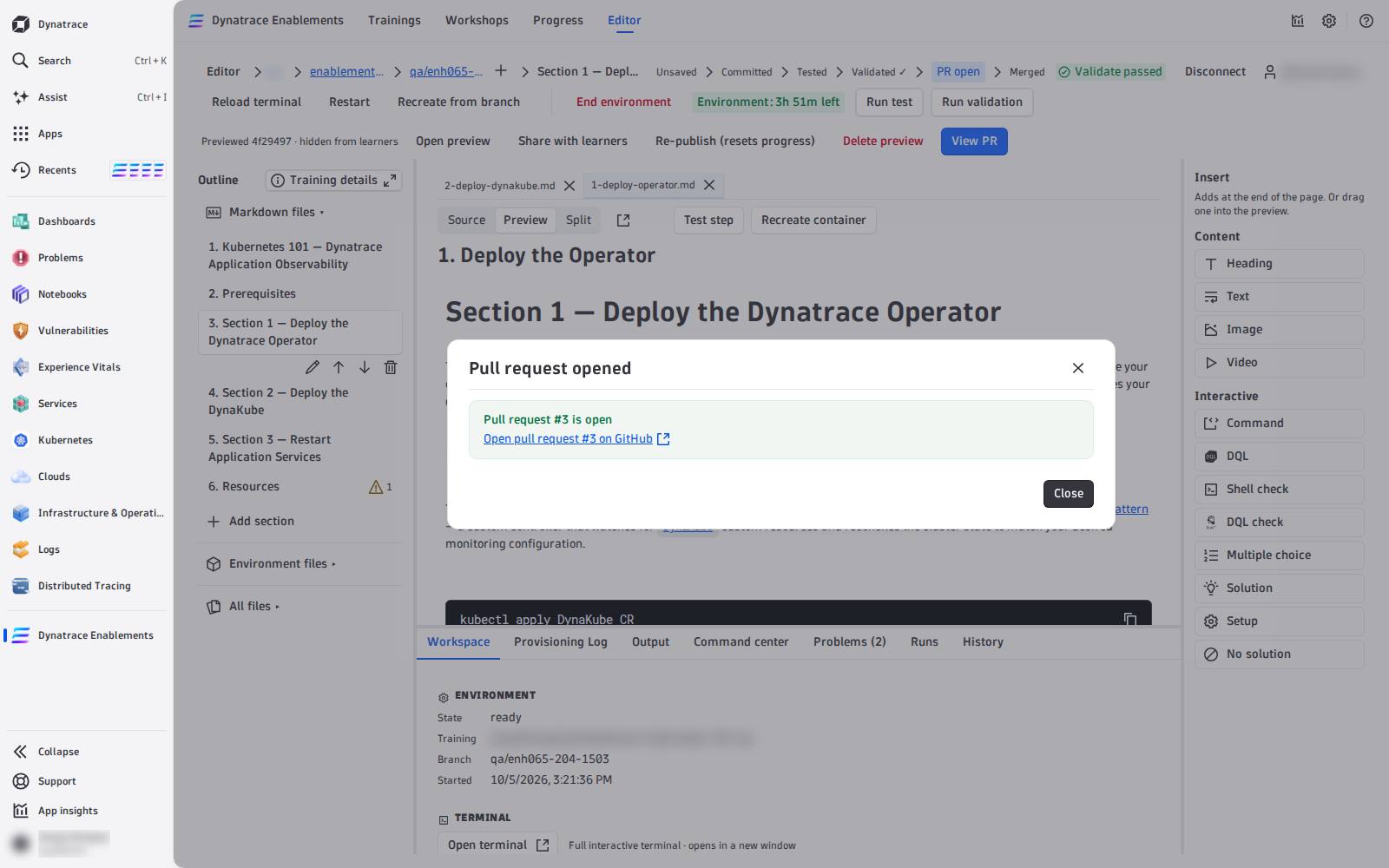
The pull request is opened as you, from your branch into main. The stage path reads PR open and the button becomes View PR.
What blocks it, and what it says:
| The button reads | Why |
|---|---|
| N problems block publishing | errors in Problems — choosing it opens the tab |
| Commit first: … | unsaved edits |
Validate this commit first: no Orbital Validate pass on abc1234 |
the head is not validated |
Review and merge#
The pull request is reviewed and merged on GitHub, like any other. For a training in dynatrace-wwse, the repository's own checks run on it (the integration test builds the environment). After the merge, the stage path reads Merged — and the training in the app still shows the old content until it is refreshed: see 07 — Test as a Learner and Publish & Ship.