Hunting via Distributed Traces#
Open the Distributed Tracing App#
Protip: open the Tracing App anywhere in Dynatrace
Type CTRL + K, then search for Tracing. The Tracing App appears in the Super Search.
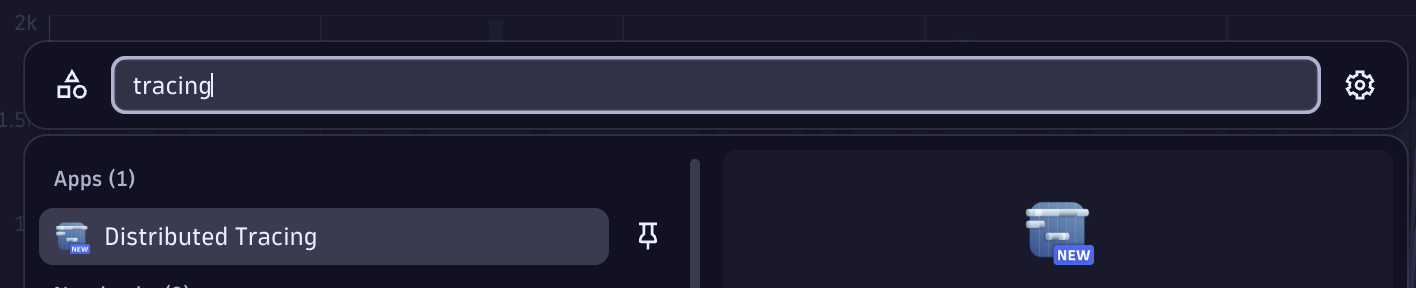
Want to learn more about the Tracing App?
Watch this 12-minute Dynatrace App Spotlight on the Distributed Tracing App.
In the filter, add:
You can let autocomplete help, or use the facets on the left to filter all requests of the todoapp pod in the todoapp namespace.
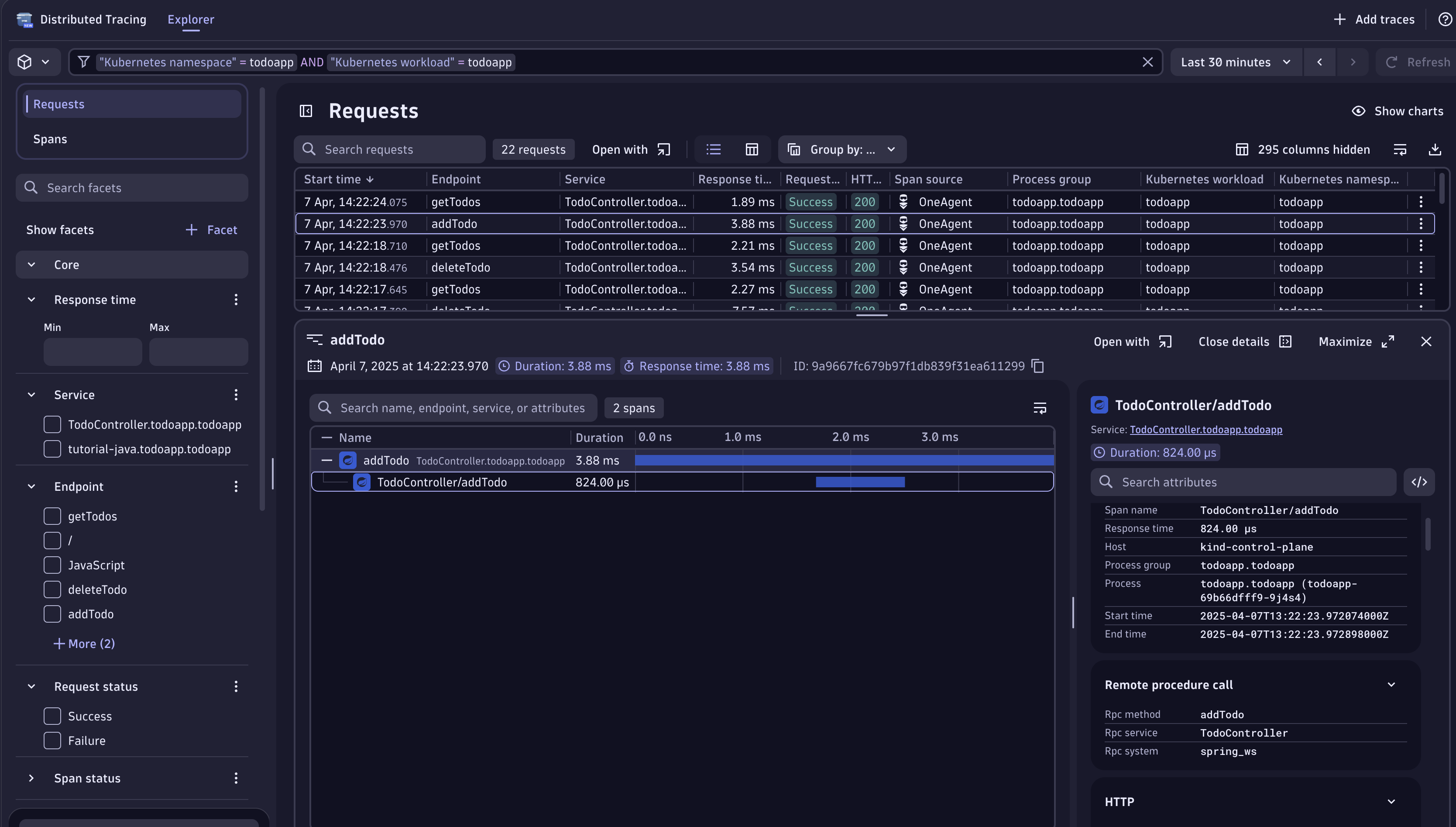
Look for a trace named addTodo. Open it; in the details pane on the right, the Code Attributes show Code function = addTodo and Code Namespace = com.dynatrace.todoapp.TodoController. Now we know where to look.
Open the Live Debugger#
- Search for
Code function = addTodounderCode Namespace = com.dynatrace.todoapp.TodoController. In search, typeTodoControllerand open the class. - Find the
addTodofunction — the declaration is at line 22.
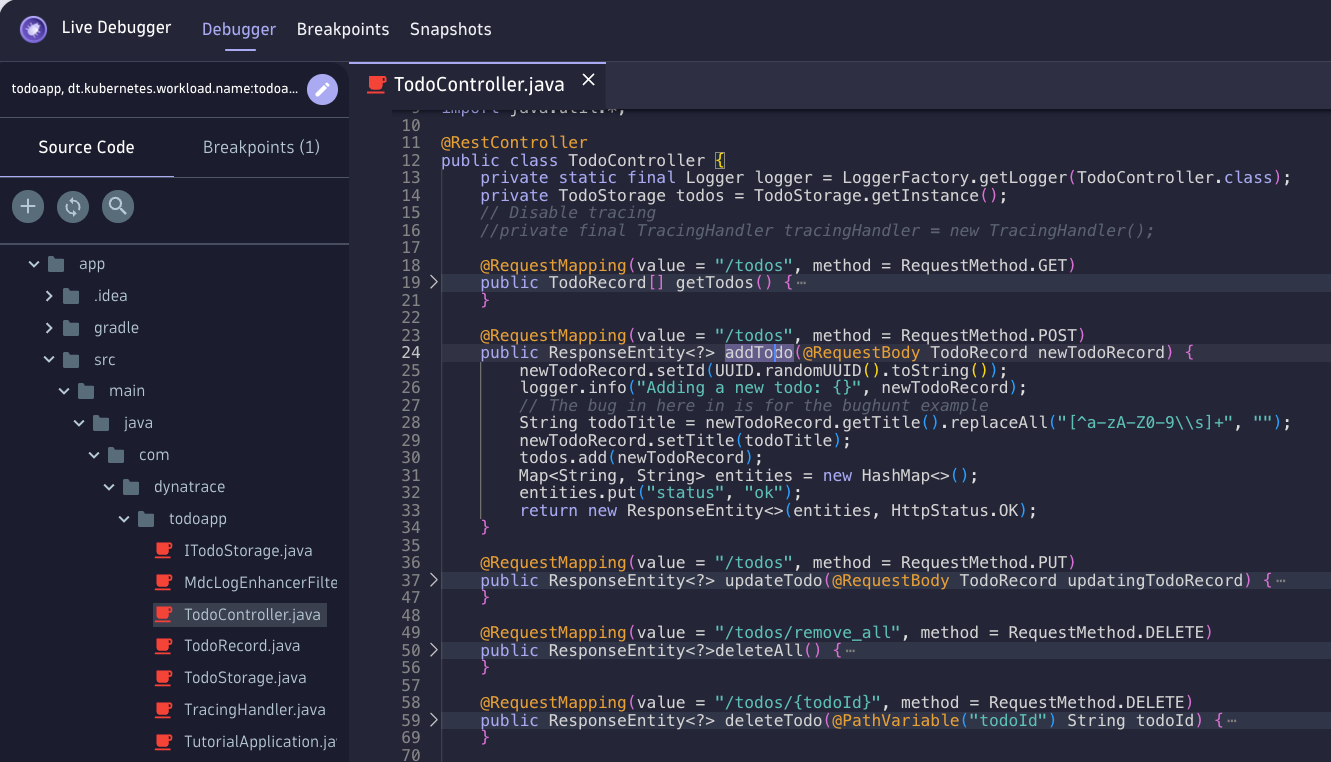
Notice anything unusual? The developer left a string transformation on line 26:
26String todoTitle = newTodoRecord.getTitle().replaceAll("[^a-zA-Z0-9\s]+", "");
- Set two non-breaking breakpoints around that line — one before (line 23) and one after (line 30).
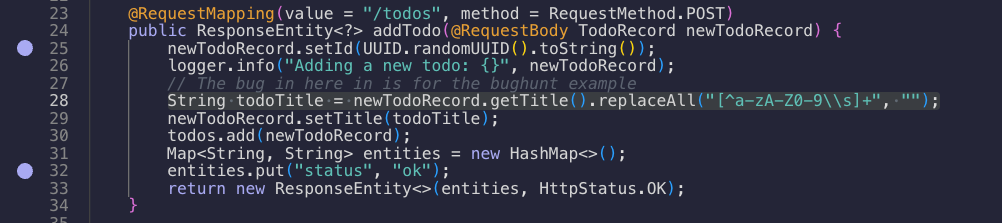
- Go to the TODO app and add a task with special characters:
- Return to the Live Debugger and watch the two snapshots arrive in real time.
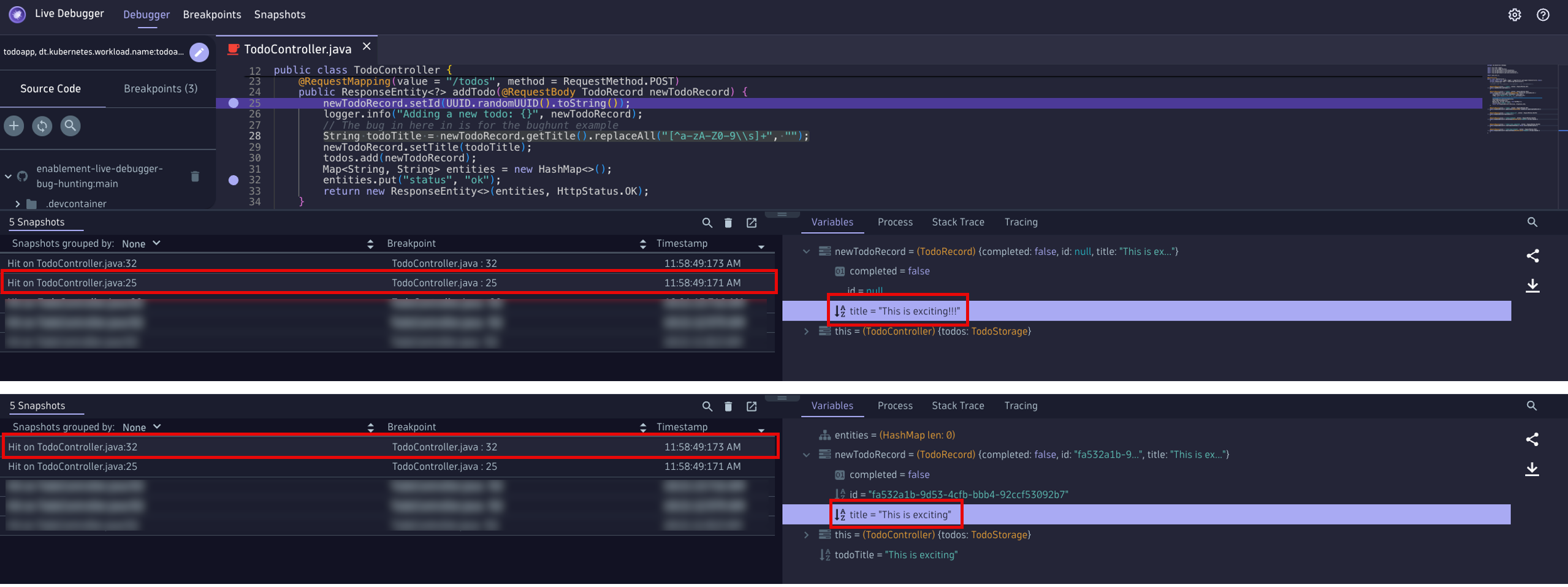
- Open the first snapshot (line 23):
newTodoRecord.title = This is exciting!!!— the!!!are present. The data arrives intact. - Open the second snapshot (line 30): the
!!!are gone. The transformation in between stripped them.
Watching variables#
The Live Debugger lets you watch a variable and see it change. Right-click newTodoRecord.title and select Watch.
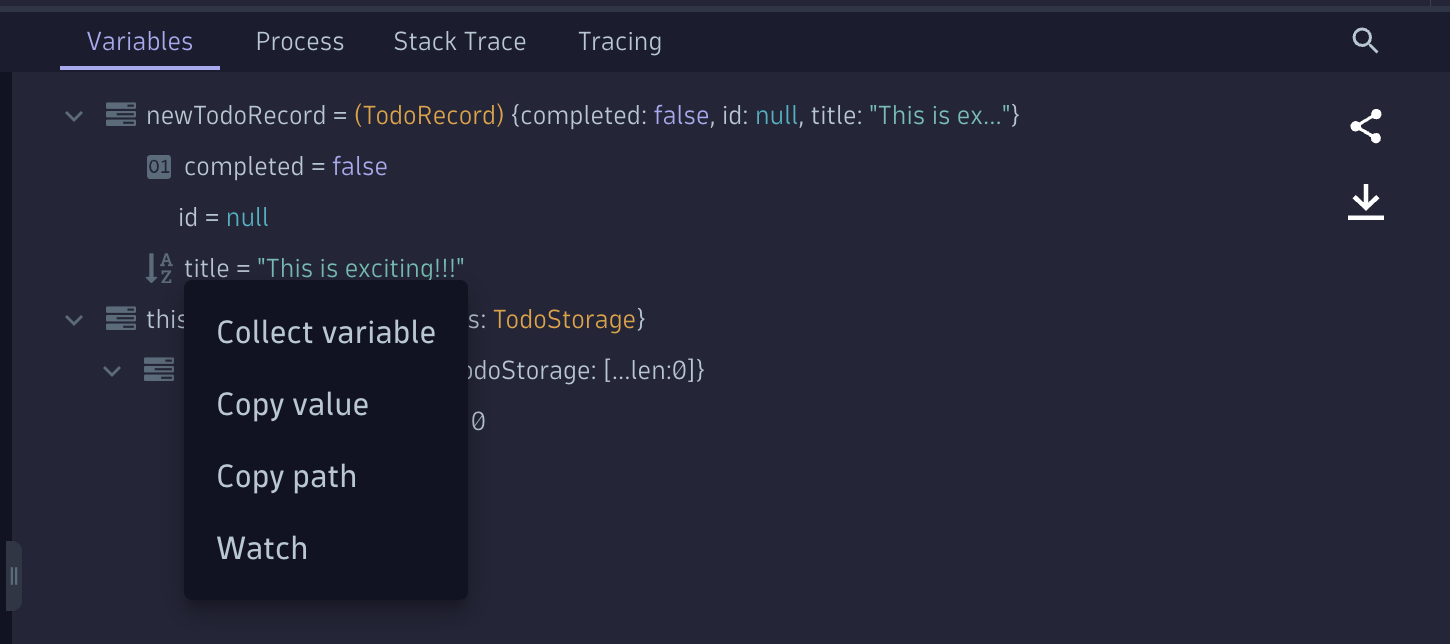
The watched title now appears in both snapshots side by side. In a simple app this is obvious — but across thousands of lines you didn't write, watching a variable through the code is how you understand exactly where it mutates.

Fix the bug and redeploy#
Open TodoController.java, apply your change, then:
Add a task with special characters and confirm they're preserved: