Support Policy - experiment, share feedback, and help shape the future
This repository is part of an enablement project created by the Center of Excellence at Dynatrace. Our mission is to empower you to explore and adopt these resources to accelerate innovation. Support is community-driven and provided exclusively via GitHub Issues.
We will make every effort to assist and address reported problems, but please note:
- The materials are provided “as-is”, without any warranties or guarantees.
- Use of this technology is at your own discretion and risk.
We encourage you to experiment, share feedback, and help shape the future. Start building today!
Live Debugger Tutorial — Bug Hunting the TODO App#
Being converted to the Dynatrace Enablement App
This training is being converted to an immersive, interactive and self-service training that is best delivered through the Dynatrace Enablement App.
In this hands-on training you embark on a bug-hunting journey through the Dynatrace Live Debugger and the wider Dynatrace Platform. A Kubernetes cluster and a sample TODO application are already running in your environment — the app works, but it ships with three bugs. Your job is to hunt them down and fix them, in production, without a single redeploy-to-debug cycle.
The Live Debugger is part of Observability for Developers. It gives developers instant, code-level debug data to troubleshoot complex, modern applications with no extra coding, redeployments, or restarts.
- Debug in any environment or application, on any architecture
- Instant insights and data from any issue
- Full visibility into code
- Robust security and data-privacy controls (data masking on the OneAgent)
- Increase developer satisfaction & happiness — remove the frustration
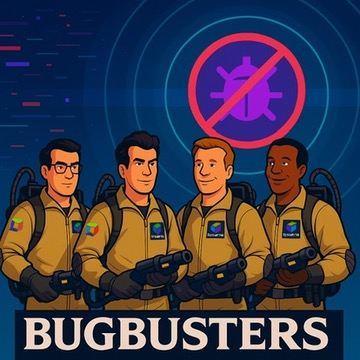
What you will do#
| Step | Bug | Hunt via | Validates |
|---|---|---|---|
| Prerequisites | — | Enable Live Debugger on your tenant | Cluster + TODO app are running |
| 1 | Clear Completed does nothing | Kubernetes App → Traces → Live Debugger | is_bug1_solved |
| 2 | Special characters are stripped | Distributed Traces → Live Debugger | is_bug2_solved |
| 3 | Duplicate task swaps title and ID | Logs → Live Debugger | is_bug3_solved |
Each bug has two pages: one to reproduce the bug, and one to hunt and fix it. Every section ends with an automated check you must pass before continuing.
Environment overview#
Your training environment includes:
- A single-node k3d Kubernetes cluster, monitored by Dynatrace
- The TODO application deployed in the
todoappnamespace (with the three bugs) - Your Dynatrace tenant credentials pre-loaded as environment variables (
DT_ENVIRONMENT,DT_OPERATOR_TOKEN,DT_INGEST_TOKEN)
Before you start
Click Start Environment in the status bar above to provision your live environment. Open the Terminal tab at any time to run commands against the cluster, and the Apps tab to open the TODO app. The shell-check buttons on each step are active only once the environment is ready.
Ready to start the bug-hunting quest and learn how to empower developer productivity with Dynatrace?