Enablement Business Observability#
Support Policy - experiment, share feedback, and help shape the future
This repository is part of an enablement project created by the Center of Excellence at Dynatrace. Our mission is to empower you to explore and adopt these resources to accelerate innovation. Support is community-driven and provided exclusively via GitHub Issues.
We will make every effort to assist and address reported problems, but please note:
- The materials are provided “as-is”, without any warranties or guarantees.
- Use of this technology is at your own discretion and risk.
We encourage you to experiment, share feedback, and help shape the future. Start building today!
View the Code
The code for this repository is hosted on GitHub. Click the "View Code on GitHub" link above.
Lab Overview#
During this hands-on training, we'll explore Business Observability powered by BizEvents. During this session we configure business events using OneAgent, Logs and API data sources in context of a single process flow. Additionally, we will use OpenPipeline to generate and enrich telemetry signals. Using the data generated, we'll run powerful analytics with Business Flows, Notebooks, and Dashboards.
The Astroshop Order to Shipped Business Process will be the target use case:
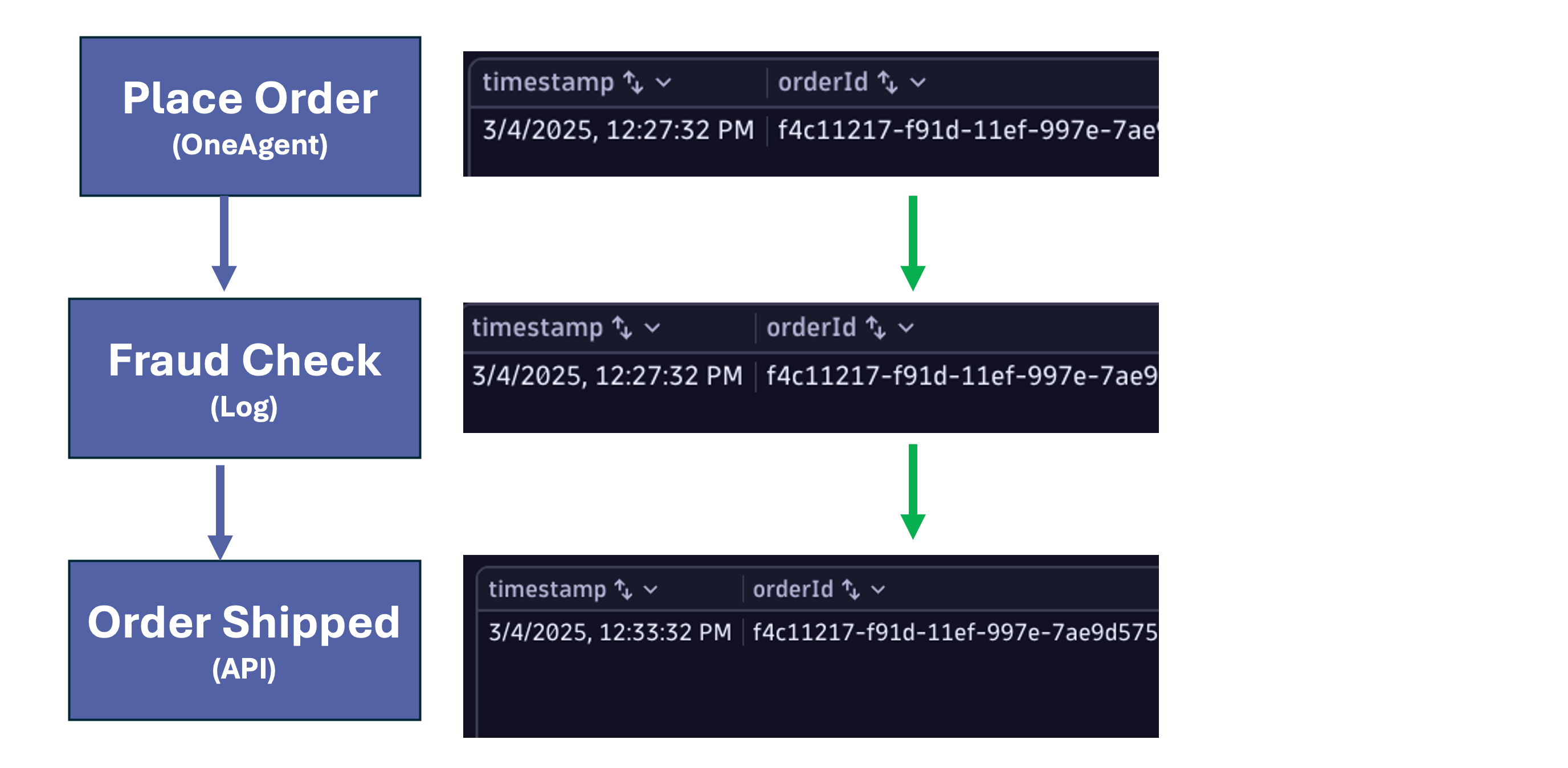
The training will start with:
- Dynatrace Tenant Setup
- Environment Setup using Github Codespaces
Then we will move to the hands on lab tasks:
- Business Event Capture via the Dynatrace OneAgent - Place Order
- Business Event Capture via Dynatrace ingested logs - Fraud Check
- Business Event Capture via the events sent to the Dynatrace Business Events API - Order Shipped
- Create a Metric from Business Events - Place Order
- Create an Alert from Business Events - Place Order
- Create a Business Flow and an Alert - Order to Shipped business process
- Import and review sample Dashboards
Continue#
In the next section, we'll review the prerequisites for this lab needed before launching our Codespaces instance.